
Your Immich library.Straight into Final Cut Pro.
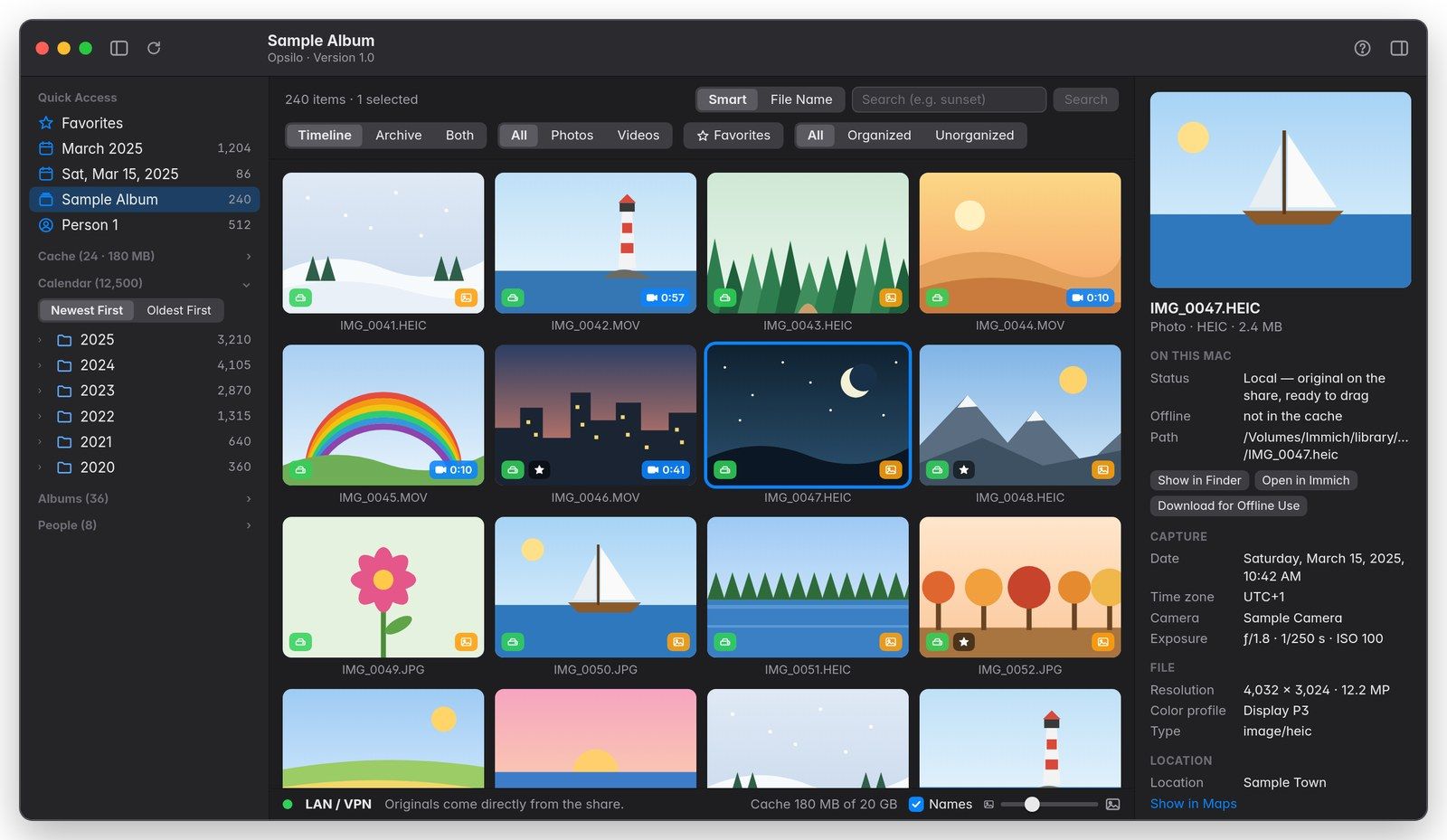
Opsilo shows your Immich photos and videos on your Mac: timeline, albums, people, smart search. Drag an item into the timeline; if Immich’s storage is mounted as a network share and Final Cut is set to “Leave files in place”, the library links to the original on your NAS. No second file is created.
Coming soon to the Mac App Store
How it worksFor Mac · one-time purchase · no subscription · read-only, collects nothing
One clip, several files
How it works
-
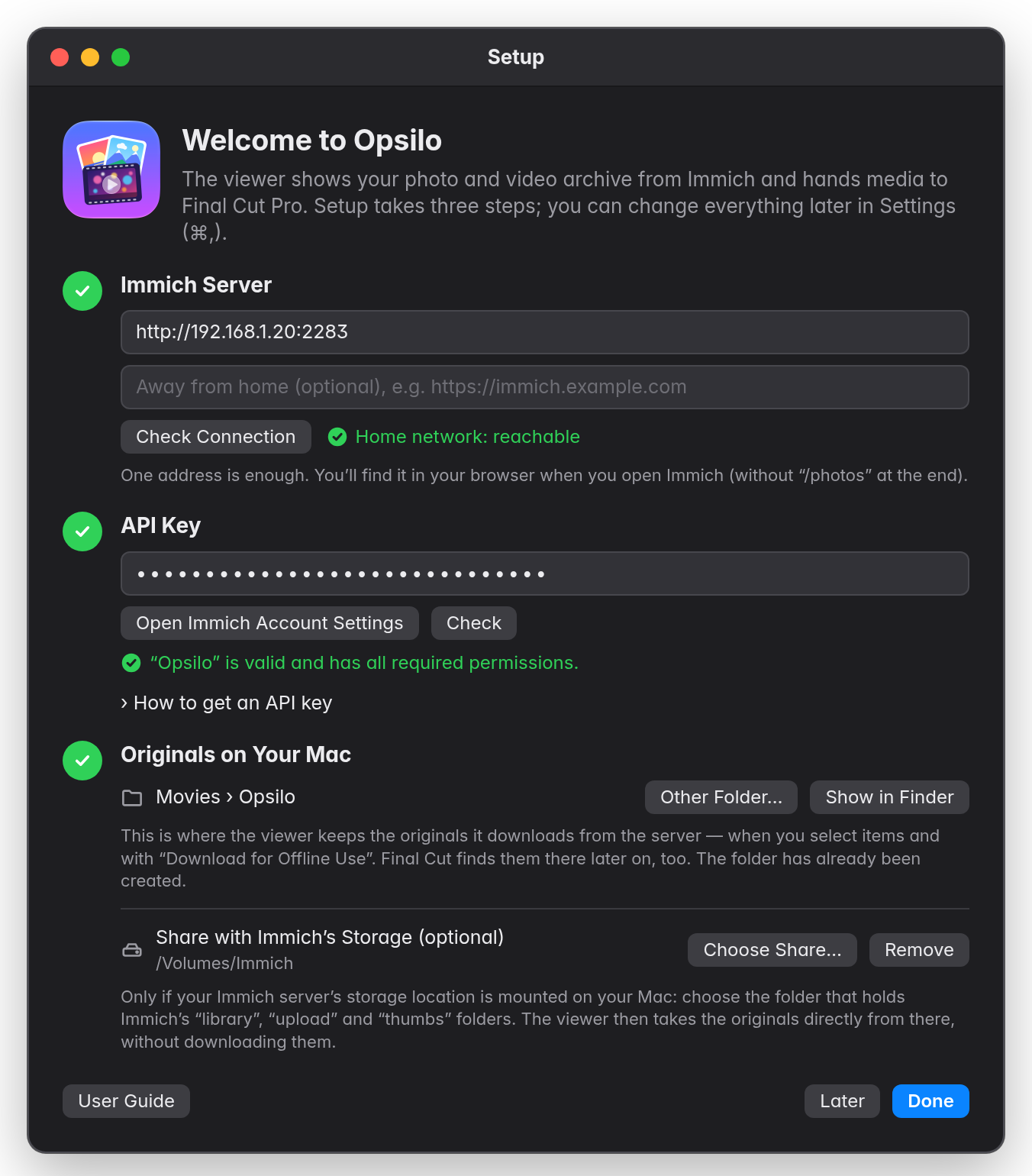
Connect
Enter your Immich server address and an API key with read permissions. If Immich’s storage is mounted on your Mac, point the app to that folder once. From then on, it connects the share by itself at launch.
Drawn illustration — real screenshots to follow -
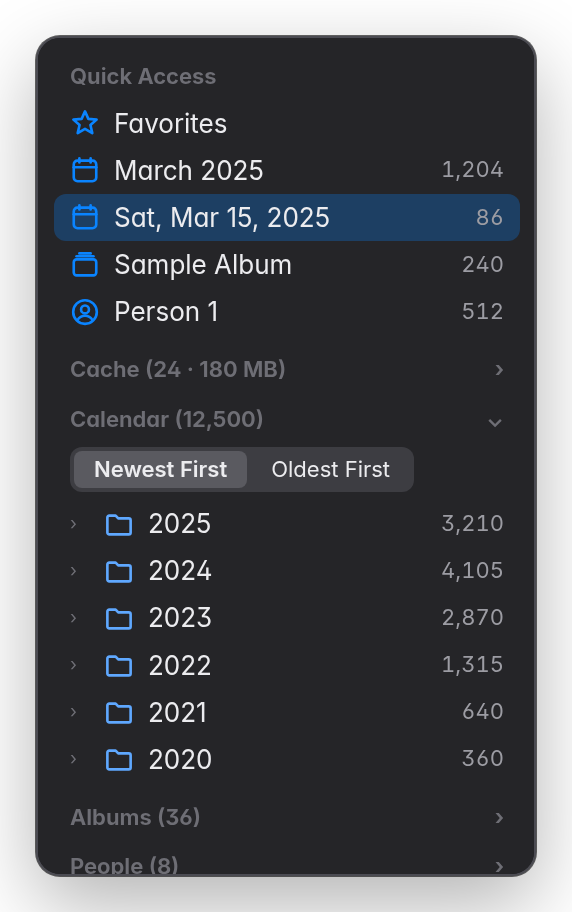
Find
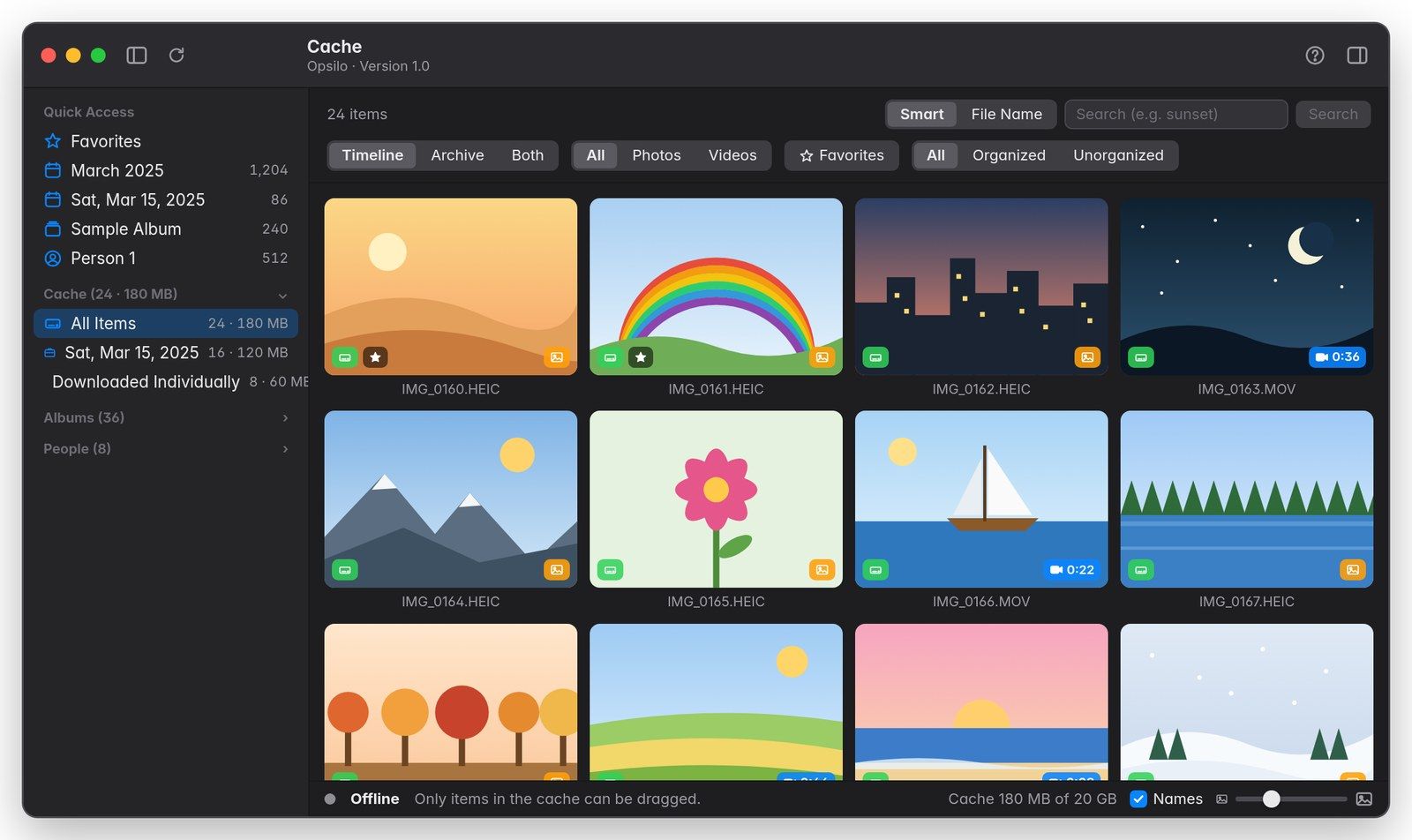
Timeline, calendar, albums as a folder tree, people and smart search. “Lighthouse in the fog” finds pictures by what’s in them, just like in Immich.
Drawn illustration — real screenshots to follow -
Drag
Drag photos and videos into the timeline or an event. With Final Cut set to “Leave files in place”, the library links to the original on the share.
Drawn illustration — real screenshots to follow
What the app does
- Smart search: by image content or file name; every window keeps its own search.
- Albums as a folder tree: “2025-07-20 Norge - Geiranger” becomes 2025 › July › 20 › Norge › Geiranger. Nothing changes in Immich.
- People: sorted by how many items they appear in.
- Calendar: year, month and day, in the local time of the shot.
- Quick Access: favorites and pinned days, albums or people.
- Filters: photos or videos, favorites, timeline or archive, and “Unorganized” (in no album, without a named person) for tidying up. Combine them freely; the counts in the sidebar follow the filter.
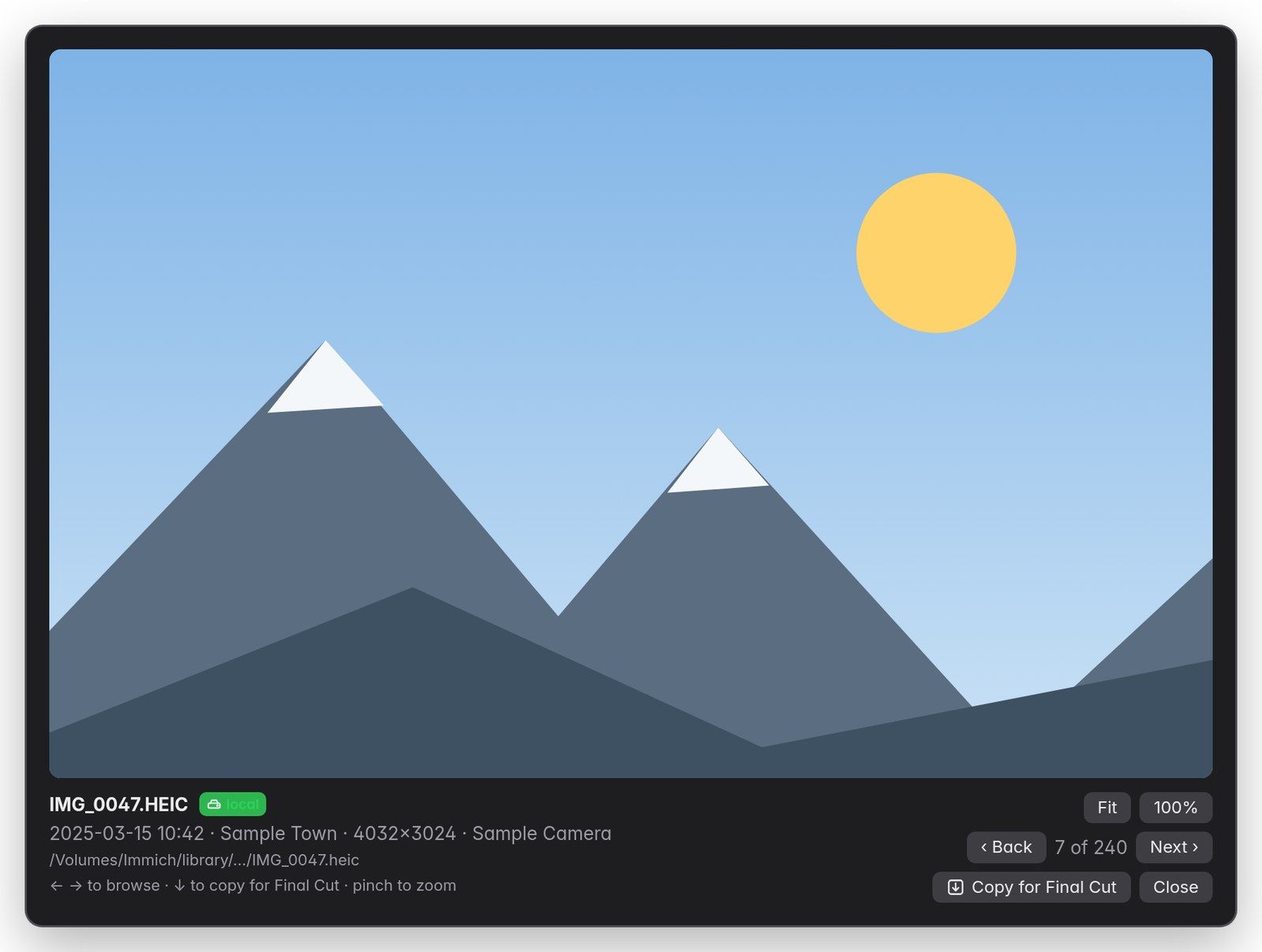
- Preview: double-click, page with ← →, pinch to zoom up to 100% of the original (⌘1). Play videos with the space bar.
- Info panel: camera, lens, exposure, codec, frame rate, HDR, and location with a link to Apple Maps.
- Copy for Final Cut: ↓ in the preview puts the file on the clipboard. ⌘V inserts it in Final Cut at the playhead.
- Tabs and multiple windows: each with its own selection.
- English and German: following your Mac’s language.
At home, over VPN, on the road
Your library stays yours
Workflows compared
| Copies on your Mac | People, albums, search | Check the original | On the road | |
|---|---|---|---|---|
| Download from the web interface | 1, or 2 with a library import | in the browser | after downloading | yes, by downloading |
| Detour through Apple Photos | 2 or more | only what you maintain in Photos | yes | through the Photos library |
| NAS folder in the Finder | 0 | no | with Quick Look | only with VPN |
| Opsilo with a share¹ | 0 | yes | up to 100% in the preview | on demand, exactly once |
¹ Share mounted and Final Cut set to “Leave files in place”.
Requirements
Frequently asked questions
Is there an Immich app for Mac that works with Final Cut Pro?
Yes. Opsilo is a Mac app for Immich. It shows your Immich library and hands photos and videos to Final Cut Pro by drag and drop. If Immich’s storage is mounted as a share, Final Cut links to the original.
Is there really no copy?
There is no copy if two conditions are met: Immich’s storage location is mounted as a share, and Final Cut is set to “Leave files in place” for imports. Without a share, the app downloads an original exactly once into “Movies › Opsilo”, and Final Cut links to that file.
Do I need a NAS?
No. Without a share, the app works through your server’s address and downloads originals when needed. The share only saves the download and the copy.
Does the app change anything in my Immich library?
No. It’s read-only. The key only needs read permissions, and no feature writes to Immich.
Is Opsilo an official Immich app?
No. Opsilo is an independent project and is not affiliated with Immich or FUTO.
Which Immich version do I need?
Immich 3, tested with version 3.3. After major Immich updates, the app gets tested again.
Does it work without Final Cut Pro?
Yes. You can search and browse your library and hand items to other apps with “Open With” or “Share”.
Does it work on the road?
Yes, through your Immich’s internet address or over a VPN into your home network. If there’s an extra sign-in page in front of Immich, the app can’t get past it; use the VPN instead.
What data does the app collect?
None. It only talks to the server you enter. Details are in the privacy policy.
What does it cost?
It’s a one-time purchase on the Mac App Store, priced in your local currency. There’s no subscription and there are no in-app purchases.
Does smart search understand languages other than English?
That’s up to your Immich server, not the app. Immich’s default smart-search model only understands English. For other languages, choose a multilingual model in Immich under “Administration › Settings › Machine Learning › Smart Search”, for example nllb-clip-base-siglip__v1, and run the smart search job once more. After that, a query like “lighthouse by the sea” works in the app in your language, just as it does in Immich.
Does it work with external libraries in Immich?
They show up like everything else. The link without a copy applies to files in Immich’s own storage (library, upload) on the share. Originals from external libraries live outside it; the app downloads them once into the cache when needed.
What are the files called in Final Cut?
The same as on the server. With Immich’s storage template (can be enabled in Immich, useful for Final Cut) they keep their original name, such as IMG_0412.HEIC. Without it they carry Immich’s ID; in both cases the app shows the original name and hands over the file as it is stored on the server.
What happens when the NAS is off?
Final Cut remembers the path on the share. While the share is unreachable, Final Cut shows the clips as missing; as soon as it is connected again, they are back. If macOS ever mounts the share under a different name (such as Immich-1), you need to relink the media in Final Cut.
Which formats can Final Cut take?
The app always hands over the original as stored on the server. What Final Cut opens is up to Final Cut: HEIC, JPEG, HEVC, H.264 and ProRes certainly; for RAW photos and rare codecs, try one file first.
Several servers or accounts?
One server and one account at a time. Whatever your account sees in Immich, the app sees too.
How fast is it over Wi-Fi?
With the share mounted, Final Cut reads the originals straight from the NAS. For 4K video your network decides, not the app: over Ethernet it feels like an external drive, over Wi-Fi it depends on the connection — if playback stutters, let Final Cut create proxy media.
On which Macs can I use the app?
One-time purchase on the Mac App Store: on all Macs with your Apple Account, Family Sharing according to Apple’s rules, refunds under Apple’s terms. There is no trial version.
Opsilo for Immich.
Coming soon to the Mac App Store
Let me know when Opsilo is out
Questions in the meantime: support@pictures-today.com